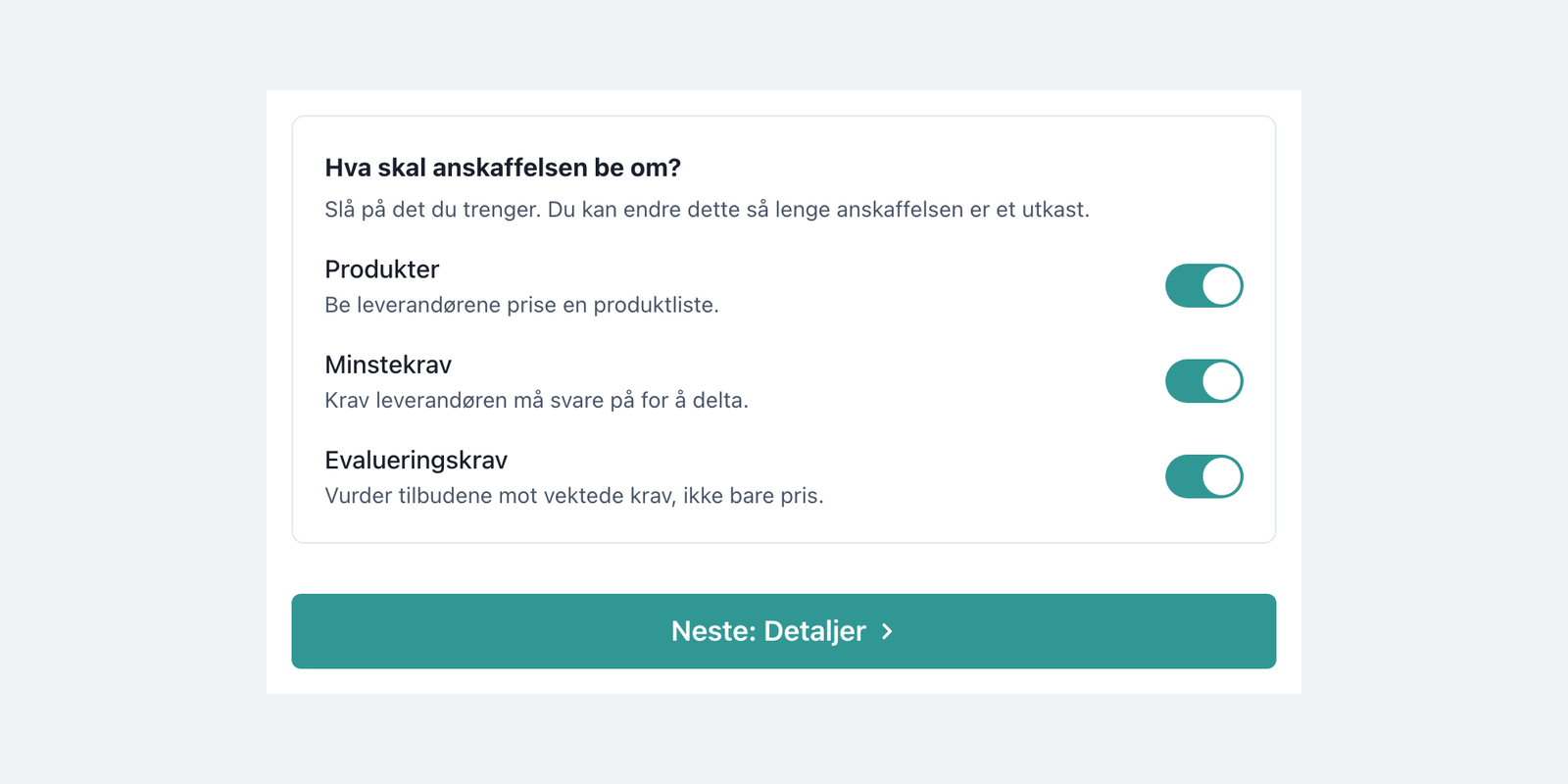
SourceMagnet has a new interface, arriving with the platform upgrade over the weekend of 4 to 6 September. The navigation, the overview and the procurement page have all been rebuilt around a single question: what needs to happen next?
A procurement is a long-running process. It begins as a need, becomes a draft, goes out to suppliers, comes back as bids, gets scored, awarded, and ends up as a contract. Most tools show you a list of records and leave the process itself in your head.
The new design puts the process on the screen. Same platform, same data, different starting point. Instead of asking you to remember where a procurement stands, it tells you.
An overview that opens on your work
Start with the next action, not a dashboard. The overview opens on Hva skal du jobbe med i dag? with three routes into the work: start a procurement, assess a reported need, or open your active agreements.
See what is genuinely urgent. Frister counts what has already passed its date and lists what is coming. Avtaler som utløper covers the next twelve months, and separately counts agreements with no end date at all, which is the gap most contract registers never surface.
Know where the portfolio stands. Anskaffelser per fase breaks the whole portfolio down by stage with a live count against each one, so the shape of the workload is visible before you open anything.
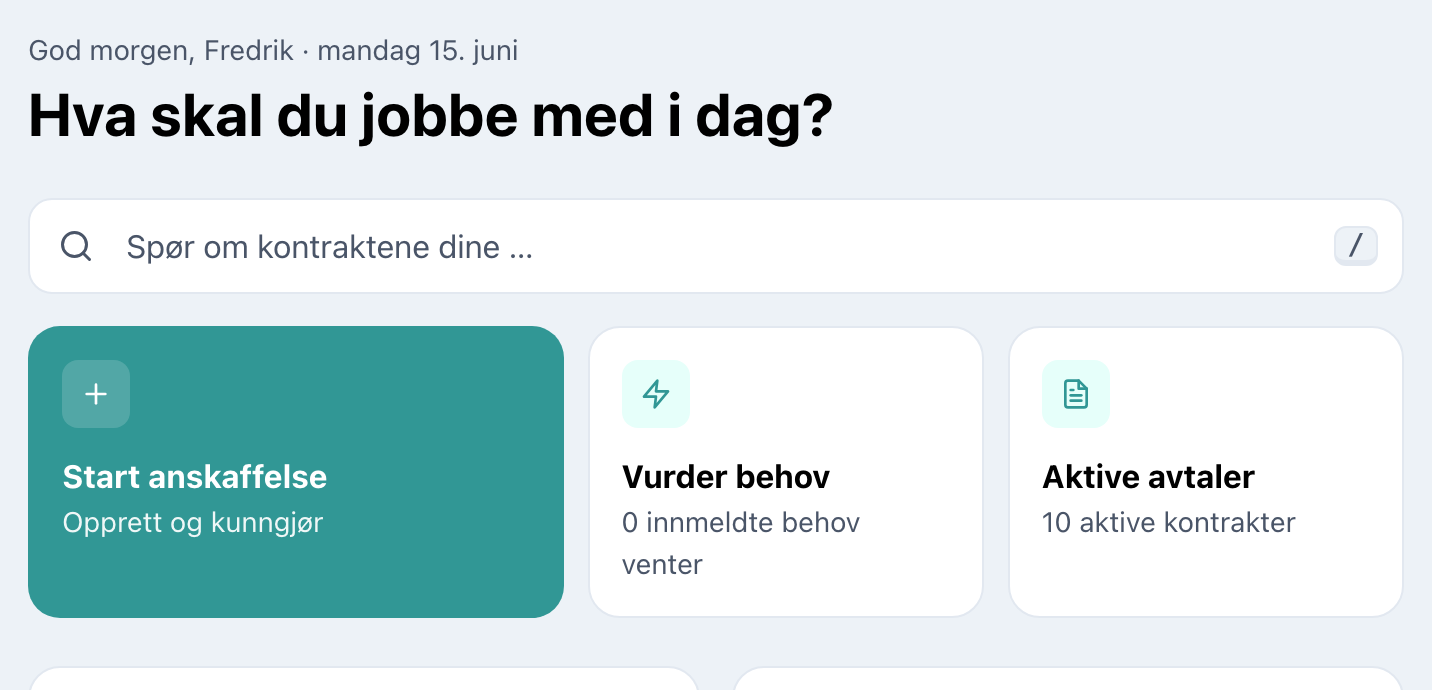
The new overview
Navigation that follows the procurement, not the database
Phases in the menu. Anskaffelser expands into the phases a procurement actually moves through, each carrying its own count. You navigate to a stage of work rather than to a table you then have to filter.
The phases match the process you run. A private company sees five: Under arbeid, Invitasjoner sendt, Under evaluering, Tildeling, Fullført. A public sector organisation sees the ones the regulation adds — Kunngjort in place of invitations sent, and Tildeling og karens, which covers the standstill period before a contract can be signed. It is the same menu, shaped to the process the organisation is actually obliged to run.
Everything else is grouped by what it is for. Behov, Marked, Bibliotek, Kontrakter and Prosjekter each hold their own area, and Bibliotek is where reusable material lives: templates and the requirement library.
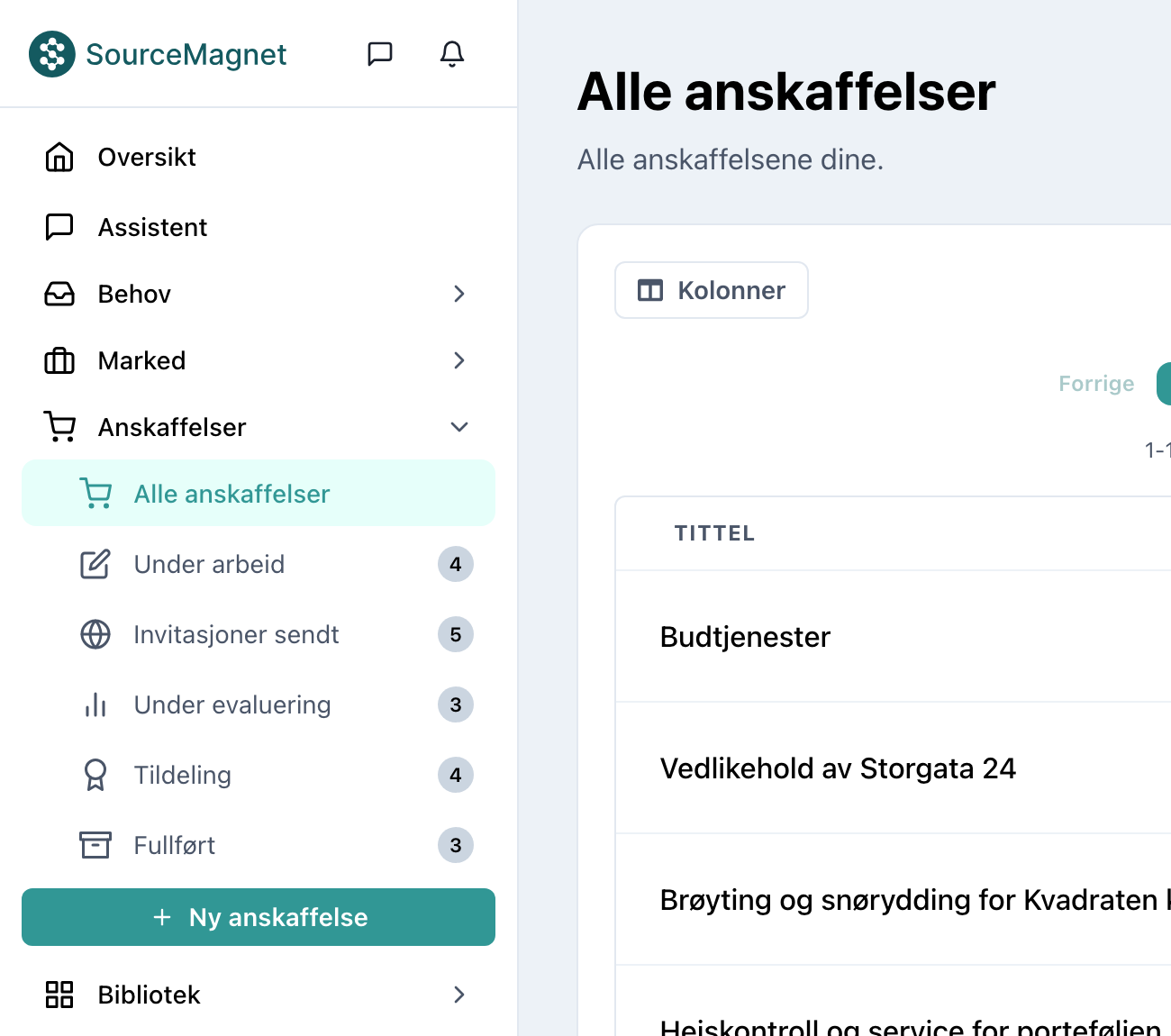
The left menu, with each phase carrying its own count
The procurement page shows the whole process
This is the biggest change. Opening a procurement used to mean opening a record. It now means opening a process.
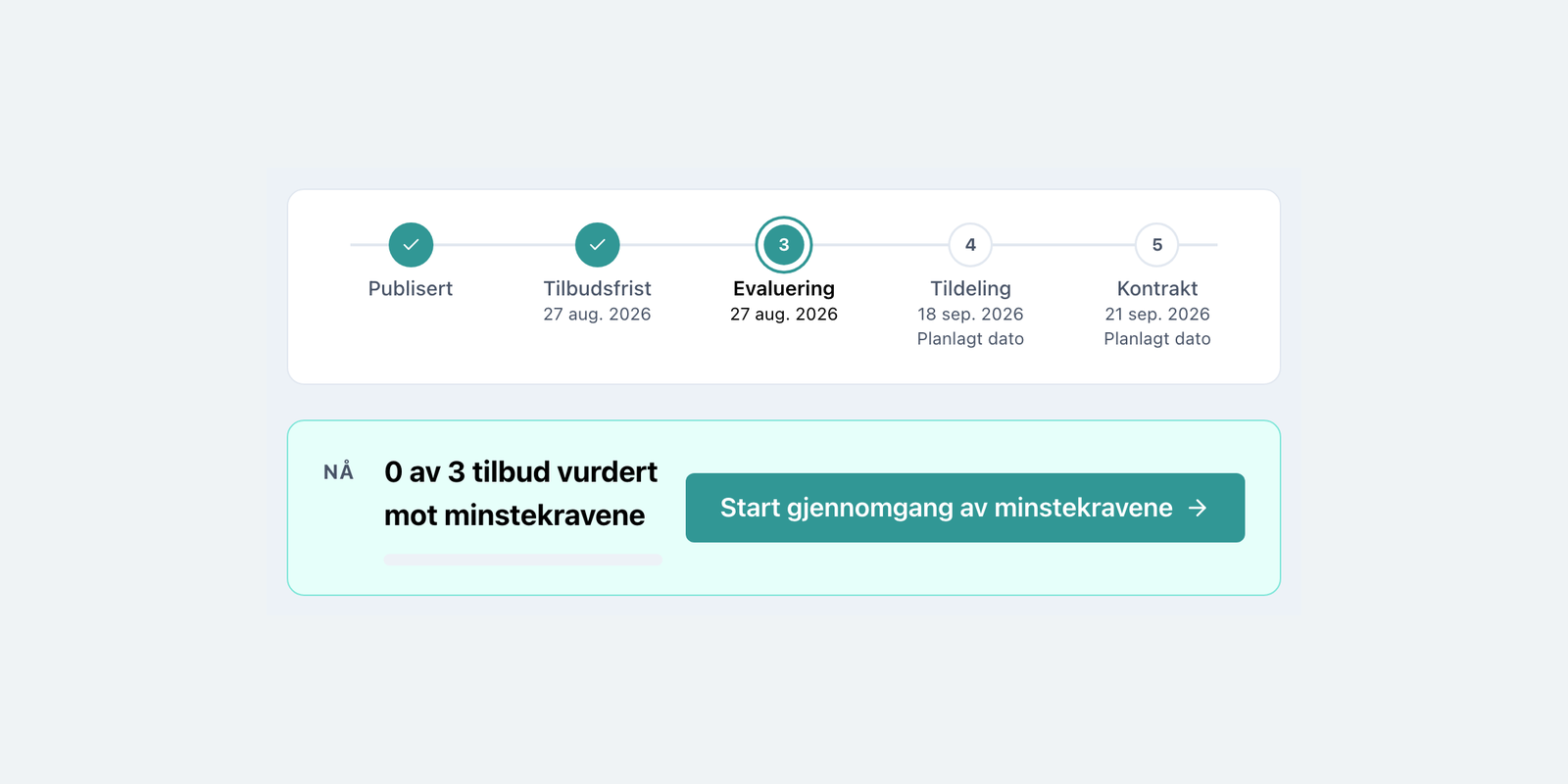
A timeline with real dates. Every phase is on one line, with the dates that have happened and the dates that are planned. Steps that are done are ticked, the current step is marked, and the ones ahead show their planned date. If the procurement went through negotiation rounds, the timeline says so.
One next action, always on screen. Directly under the timeline sits a panel marked NÅ — now — stating what is outstanding: 0 av 3 tilbud vurdert mot minstekravene, with a progress bar and one button that takes you straight there. Where a procurement is finished it simply reads Tildeling bekreftet, and offers to create the contract.
Basis and process, kept apart. The tabs are split into two groups. Grunnlag, the basis, holds what the procurement is: the request and the communication with suppliers. Prosess holds what you do to it: qualification, minimum requirements, bids, evaluation and award. Reference material and work are no longer mixed into one row of tabs.
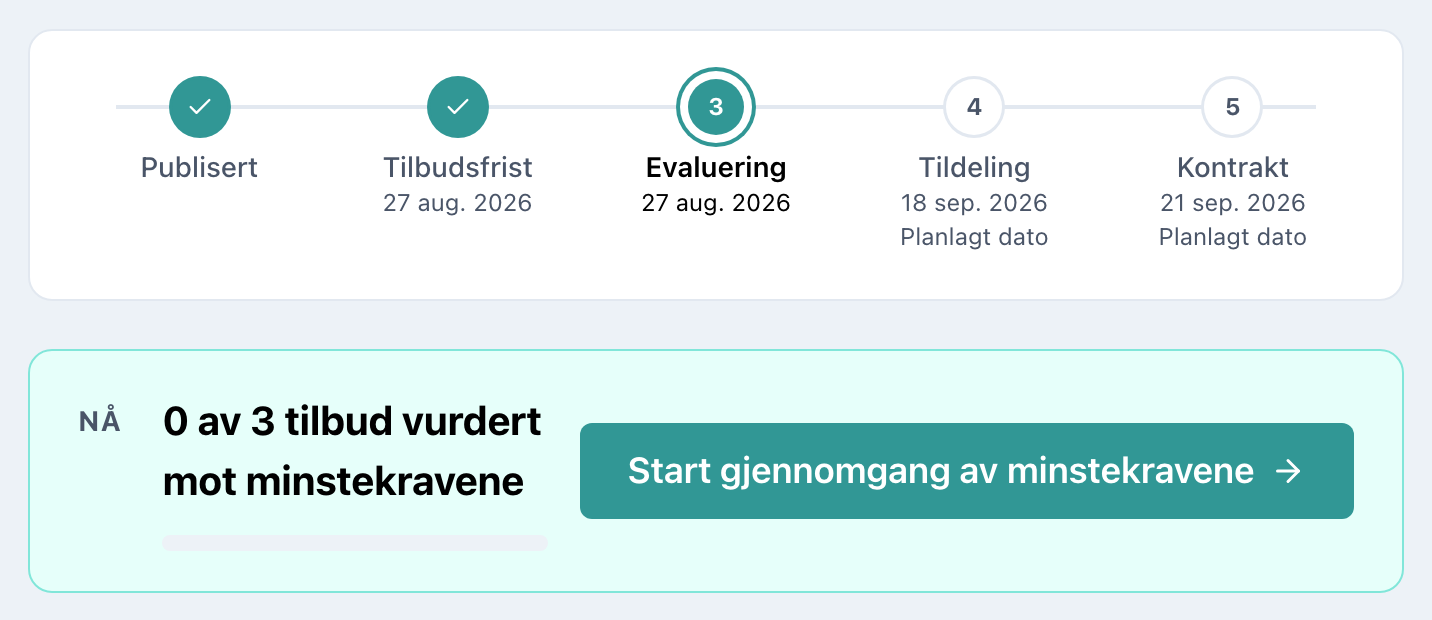
The procurement page for a private company
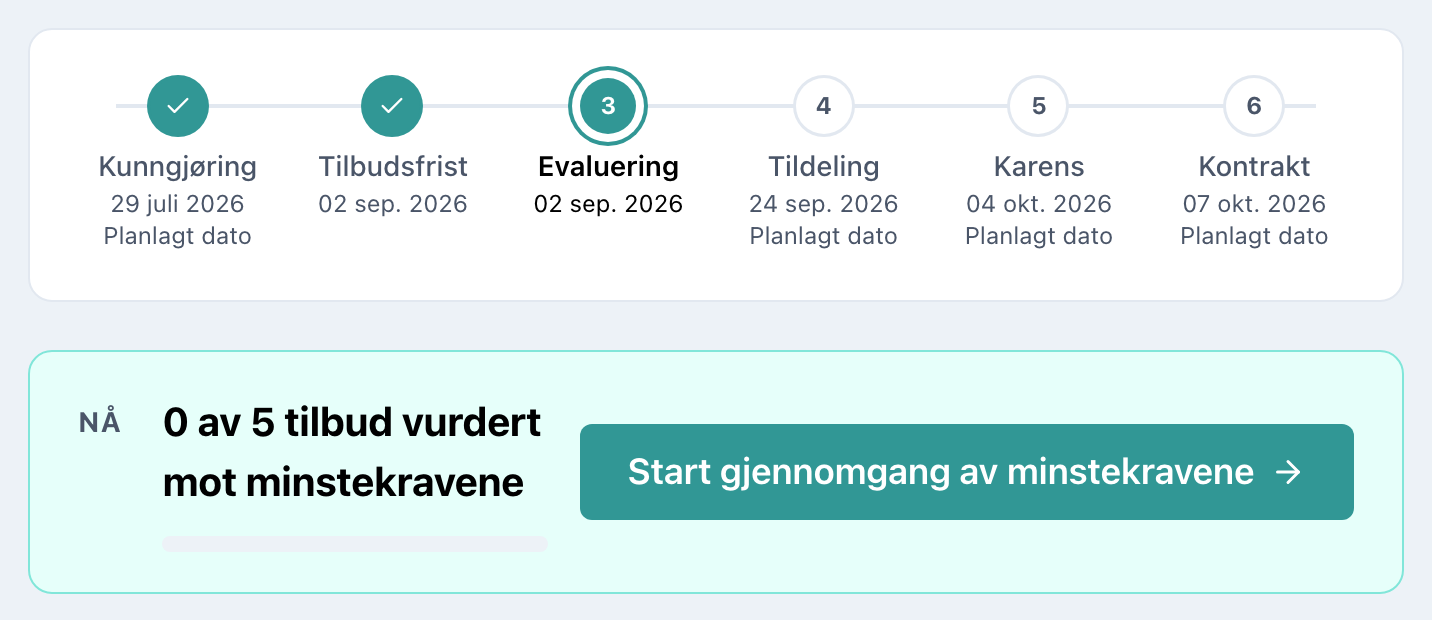
The same page for a public sector buyer, with announcement and the standstill period
Nothing was left behind
Every procurement, contract, document, company and project moves over with the same content it has today. Nothing is archived, nothing is renamed away from you. What changes is where things sit, and how clearly the screen states the stage you are at.
The screenshots here show the Norwegian interface. SourceMagnet runs in Norwegian or English, and each user picks their own from the menu.
The new design reaches every SourceMagnet customer on Monday 7 September, at no additional cost. If something is not where you expect it, our help centre has a page showing where each screen lives now, or you can ask us directly in the chat.